

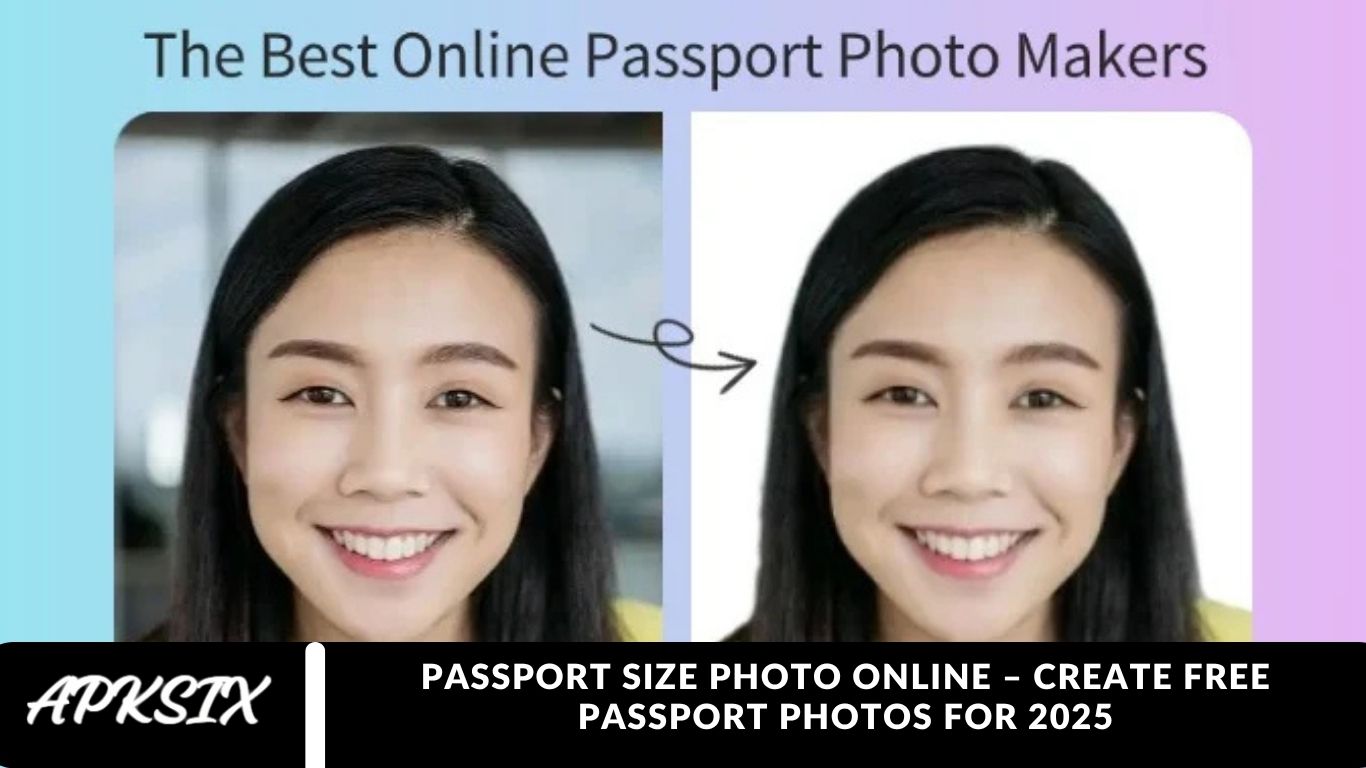
A passport size photo online is more than just a simple picture; it’s a crucial part of your official identity documents. Thanks to modern digital photo tools and evolving government photo regulations, you no longer need to visit a photo studio. In 2025, you can easily make a compliant passport photo online from the comfort of your home. This comprehensive guide will show you how to create a perfect passport photo online for free, ensuring it meets all official requirements and is accepted by authorities.
Understanding the Official Requirements for 2025
Before capturing your passport size photo online, it’s essential to understand the official guidelines to prevent rejection. While photo dimensions and requirements may vary slightly by country, the core standards remain largely the same worldwide. Always verify the exact specifications on your government’s official passport or immigration website to ensure your passport photo meets all official criteria.
Standard Passport Photo Guidelines (General Overview):
Creating a passport size photo online requires following strict official photo guidelines to ensure acceptance. Here’s what you need to know:
- Photo Size: The standard passport photo dimensions are 35mm x 45mm (3.5cm x 4.5cm).
- Head Size: Your head should measure 29mm to 34mm from chin to crown.
- Background: Use a plain, light-colored background (white or off-white) with no patterns, shadows, or other people.
- Recent Photo: The photo must be taken within the last 6 months to reflect your current appearance accurately.
- Facial Expression: Maintain a neutral expression with both eyes open and a closed mouth. A slight natural smile is usually acceptable, but avoid grinning.
- Eyes and Glasses: Eyes must be clearly visible. Avoid tinted glasses or heavy frames. No glare on lenses is allowed. For safety, authorities often recommend removing glasses.
- Headwear: Head coverings are generally not allowed, except for religious or medical reasons, but your full face must remain visible from chin to forehead.
- Lighting: Ensure even lighting with no shadows on your face or background.
- Photo Quality: Use high-resolution images, sharp and in focus, with no red-eye. If printing a physical photo, use high-quality photo paper.
Top Free Online Tools to Make Your 2025 Passport Photo
Several online passport photo tools and apps now use AI technology to automatically crop, resize, and adjust photos to meet official passport photo requirements. Here are the best free options for 2025:
Passport Photo Online (e.g., PassportPhotoMaker, PhotoAiD)
These specialized online platforms are designed specifically for official passport and ID photos.
How It Works:
- Upload a photo taken against any wall or plain background.
- AI detects your face, removes the original background, and replaces it with a perfect white or light-colored background.
- The photo is automatically cropped and resized to match your selected country’s official dimensions (e.g., US, UK, India, UAE).
- Preview the final result and download a digital version for free.
What’s Free:
- Low-resolution or watermarked digital versions are usually free.
- High-resolution, print-ready photos typically require a small fee.
IDPhotoDIY
IDPhotoDIY is a web-based tool offering more manual control over your passport photo.
How It Works:
- Upload your photo.
- Select your country, and the tool displays a template overlay.
- Adjust the position of your head and zoom to fit the template perfectly.
- Generate a 4×6 inch sheet with multiple copies ready for printing.
What’s Free:
- Fully free to use directly in your browser.
Mobile Apps: Passport Photo Maker Studio, ID Photo App
These mobile apps bring the convenience of passport photo creation to your smartphone.
How It Works:
- Take a new photo within the app (with on-screen guides) or upload an existing one.
- AI-powered edge detection crops your photo and replaces the background.
- Select your country and document type for automatic formatting.
What’s Free:
- Most apps offer a free digital download.
- In-app purchases may be needed to remove ads or get high-resolution exports.
Step-by-Step Guide: Creating Your Free Passport Photo at Home
Take Your Photo
- Find a Plain Background: Stand in front of a plain white or off-white wall for a clean, compliant background.
- Use Good Lighting: Natural light works best. Stand facing a window for soft, even illumination. Avoid overhead lights that create shadows under your eyes or nose.
- Camera Position: Have someone take the photo at shoulder level, about 4–5 feet away. Avoid shooting from above or below.
- Pose Correctly: Look directly at the camera with a neutral expression. Keep shoulders straight, face fully visible, and ensure hair does not cover your eyebrows or eyes.
Choose Your Online Tool
Select a free AI-powered passport photo tool, such as PassportPhotoMaker or IDPhotoDIY, depending on your preference and device.
Upload and Edit
- Upload the photo you just captured.
- Select your country and document type (e.g., USA passport, India visa) from the tool’s menu.
- Let the AI tool automatically crop, resize, and adjust the background to meet official standards.
Review and Download
- Carefully check the final image. Ensure your head size is correct, the background is perfectly white, and there are no errors.
- Download the digital version. The free version is usually sufficient for online passport and visa applications.
Printing Your Photo (If Required)
- Save the image to a USB drive or your device.
- Visit a local pharmacy, photo printing store (e.g., Staples, Walgreens), or use a home photo printer.
- Print on high-quality photo paper, ensuring the print is clear and the colors are accurate.
Frequently Asked Questions
What is a passport size photo online?
A passport size photo online is a digital photo that meets official government standards for passports, visas, and other ID documents. These photos can be created and downloaded using AI-powered online tools.
How do I create a free passport photo online in 2025?
You can use tools like PassportPhotoMaker, PhotoAiD, or IDPhotoDIY. Simply upload a photo, select your country’s passport specifications, and let the tool crop, resize, and adjust the background automatically.
What are the standard passport photo dimensions?
The most common size is 35mm x 45mm (3.5cm x 4.5cm). Head size should be 29mm to 34mm from chin to crown, but exact dimensions vary by country.
Can I use my smartphone to take a passport photo?
Yes! Modern smartphones with good cameras work perfectly. Make sure the photo has even lighting, a plain background, and shows your full face.
Are online passport photos accepted by government authorities?
Yes, as long as the photo meets all official requirements, including size, background, and facial expression. Always double-check your country’s official guidelines.
Can I remove the background from my passport photo online?
Most AI passport photo tools automatically remove the background and replace it with a plain, light-colored background suitable for passports and visas.
How recent should my passport photo be?
Passport photos must be taken within the last 6 months to reflect your current appearance.
Conclusion
Creating a passport size photo online in 2025 has never been easier or more convenient. With AI-powered tools and mobile apps, you can now crop, resize, and adjust your photo to meet official requirements without stepping into a photo studio. By following the proper guidelines for size, background, lighting, and facial expression, you ensure your photo is accepted by government authorities.